BPPro
Practice Management for Professionals in Mental Health
Screenshots of the Schedulers
1.
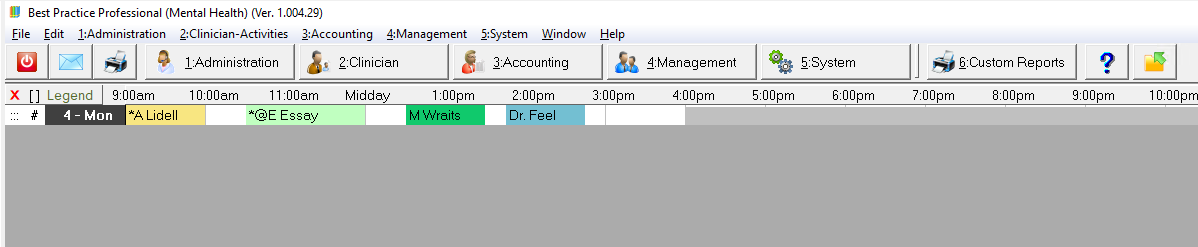
The single-person, one-day Timeline that a clinician might keep open at the top of his screen.
Click here to enlarge the image
Note the colour-coded status of the different appointments: The example displays No-show, Arrived, Confirmed and Booked appointments in that order. You choose your own colours, and define as many different codes as you need.
What the clinician sees here is updated whenever reception changes a status or adds/moves or cancels an appointment.
2.
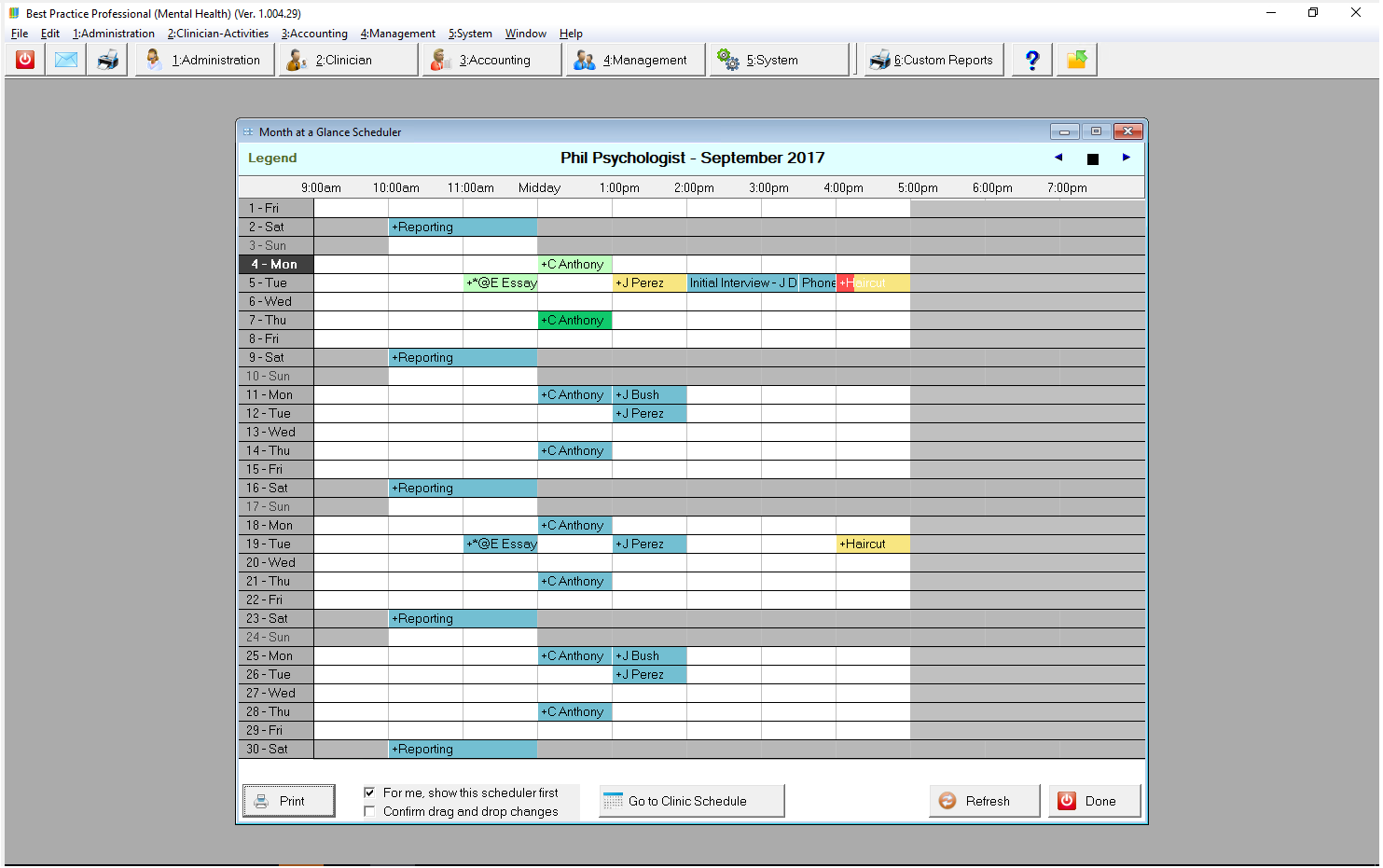
The Month-At-A-Glance scheduler for a single clinician, useful for finding a block of available time.
Click here to enlarge the image
This view of the scheduler supports drag and drop rescheduling.
3.
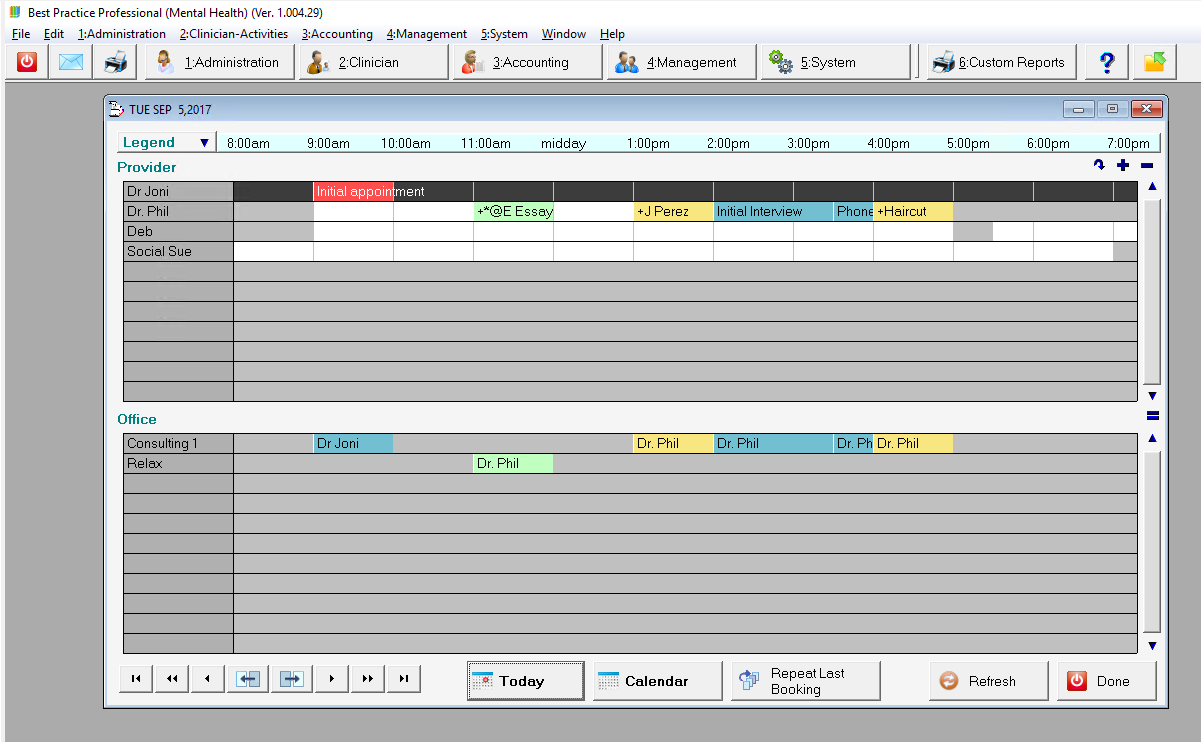
The Clinic Scheduler that Reception will likely keep open most of the time.
Click here to enlarge the image
This view shows all clinicians and all offices for a single day, a snapshot of the day's activity.
Right-click navigation allows the user to open the Month-At-A-Glance for any clinician.
4.
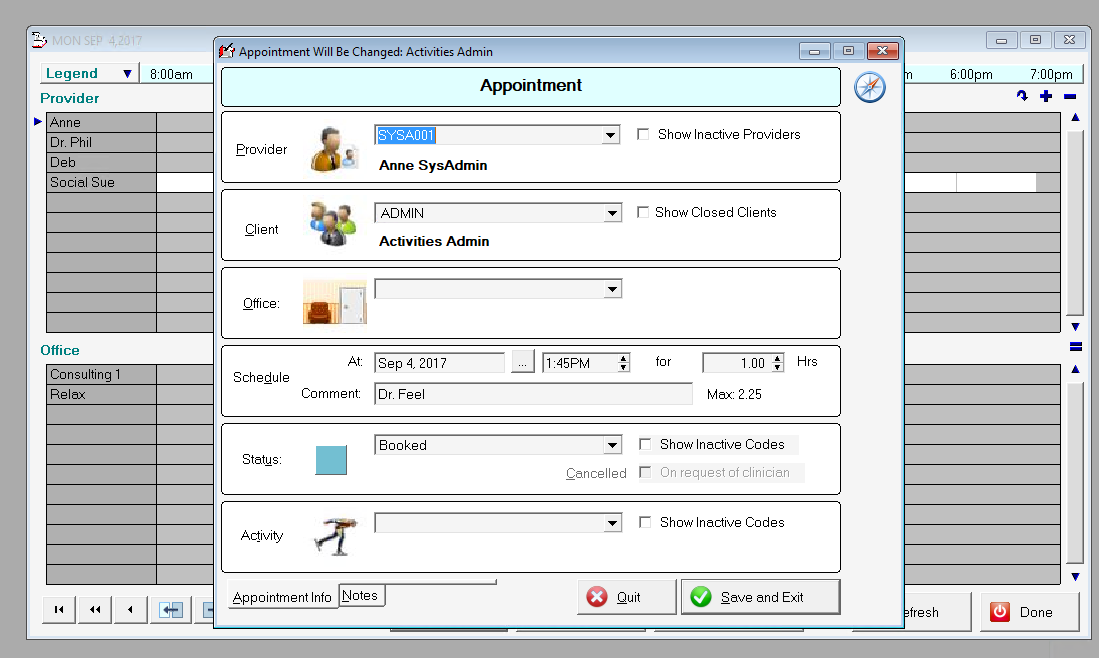
All views of the scheduler can be used to:
Book, reschedule and cancel appointments.
Click here to enlarge the image
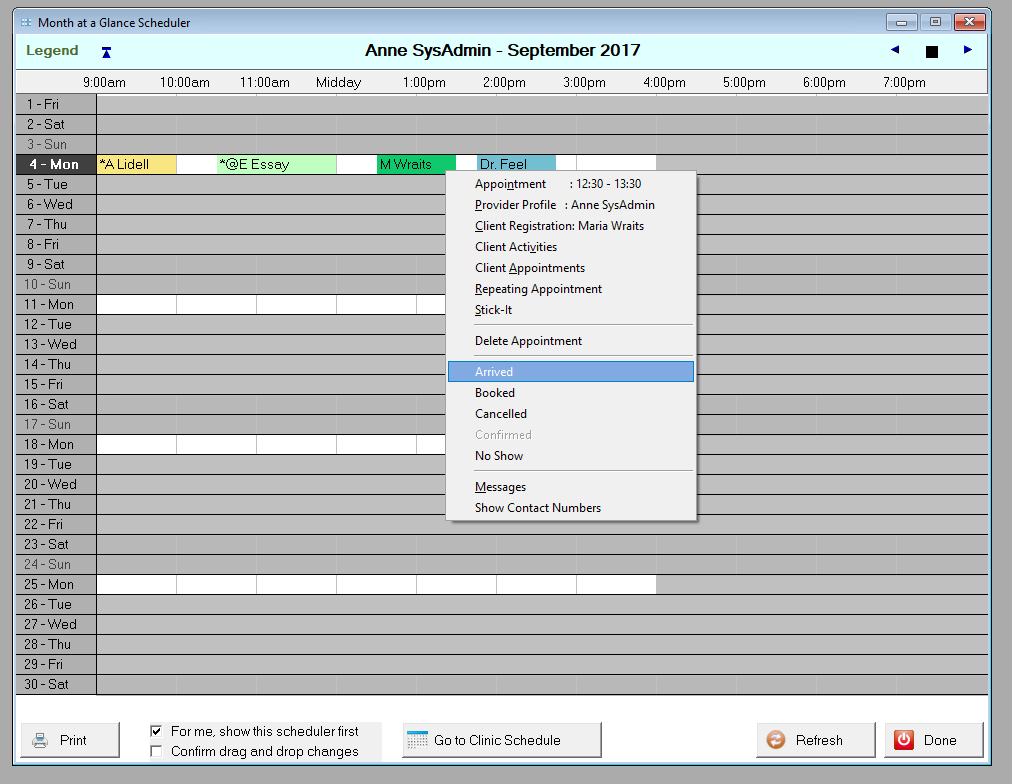
5.
Change the status of appointments. Here we are about to record that M Wraits has arrived.
Click here to enlarge the image
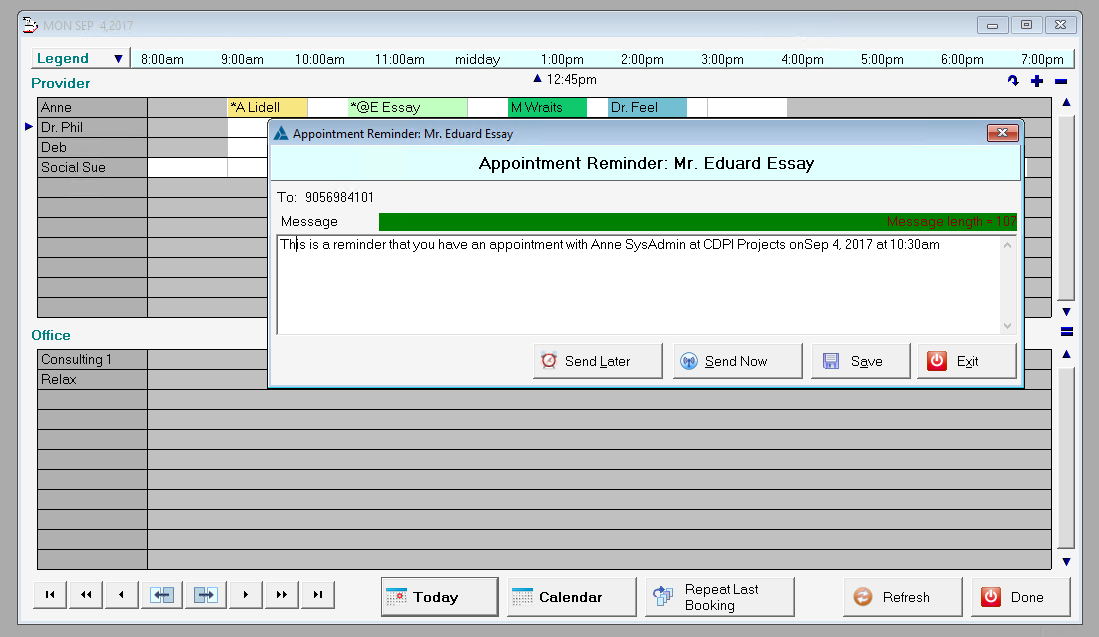
6.
Send SMS or email Appointment reminders.
Click here to enlarge the image
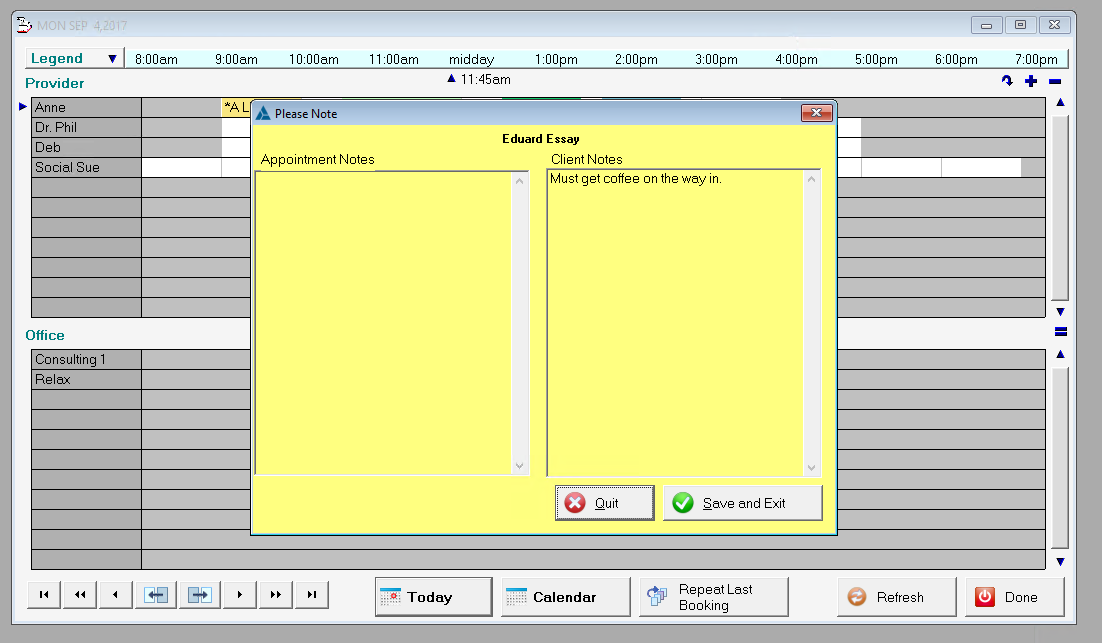
7.
View, add or edit Notes about an appointment.
Click here to enlarge the image
8.
Navigate to the Patient Information screens.
Contact CDPI Projects about BPPro for Mental Health
Email: info@bpmentalhealth.com